Exercises
Exercises are the activities in which new skills or behaviors are introduced, developed and mastered. As a trainer, you will
- Maintain a collection of exercises which you can use when needed.
- Modify existing exercises to adjust to special circumstances.
- Create new exercises to meet new needs, particularly when addressing behavioral issues.
The Exercises tab of Training Corner is the place where you create and modify exercises.
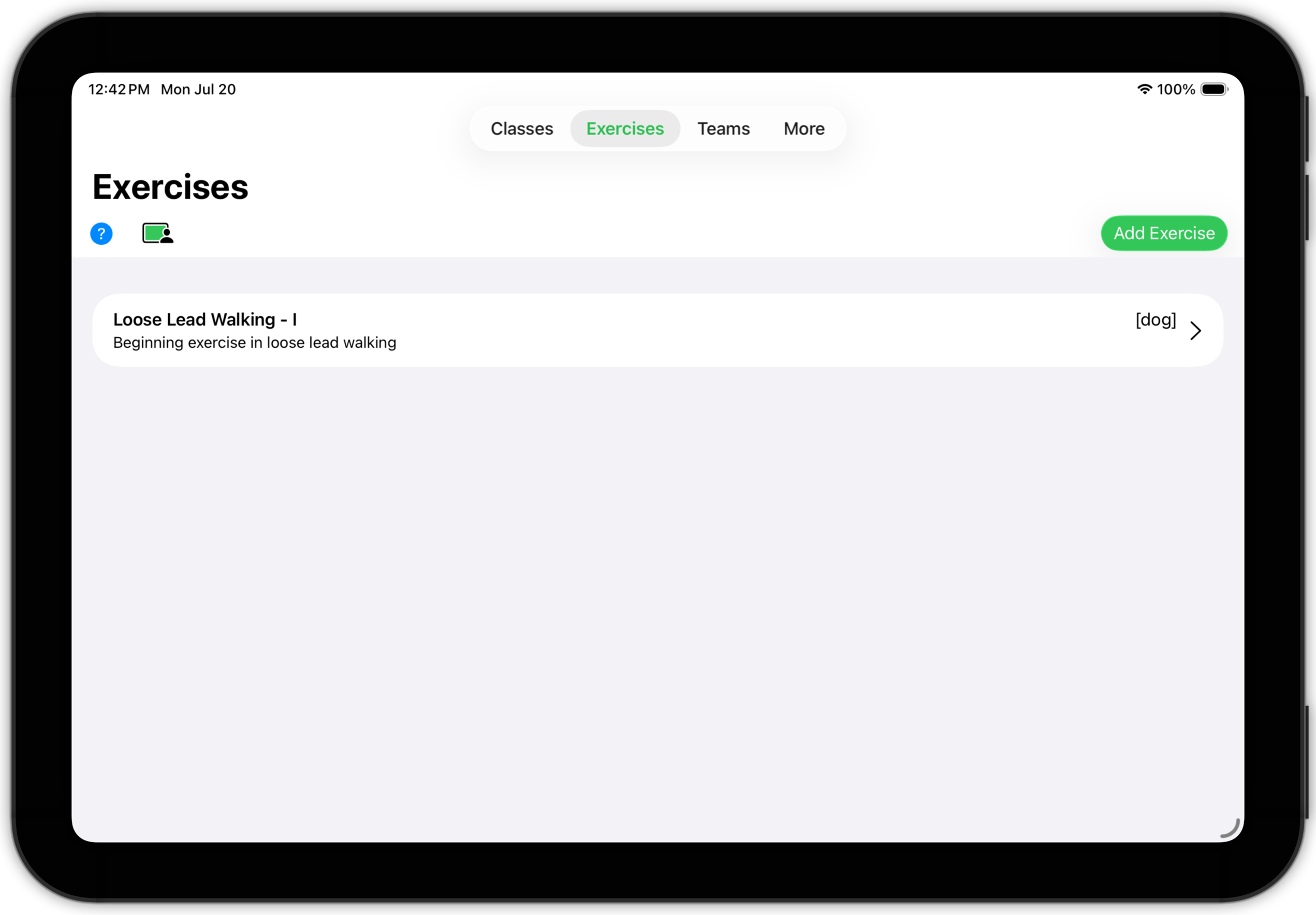
The Exercise List shows all of your exercises. On this screen you can
- Tap an existing exercise. Just like with classes, this will cause a menu to appear, offering you choice of opening the exercise's detail screen or creating a copy of the exercise and opening that.

- Use the Open a Copy option to create a copy of the original exercise that you can modify (without changing the original). (You will want to modify the title and/or description of this new, modified exercise so you can distinguish it from the original.)
- Use the New Exercise button to create a wholly new exercise.
Exercise Detail
Tap an exercise and choose Open to show Exercise Detail.
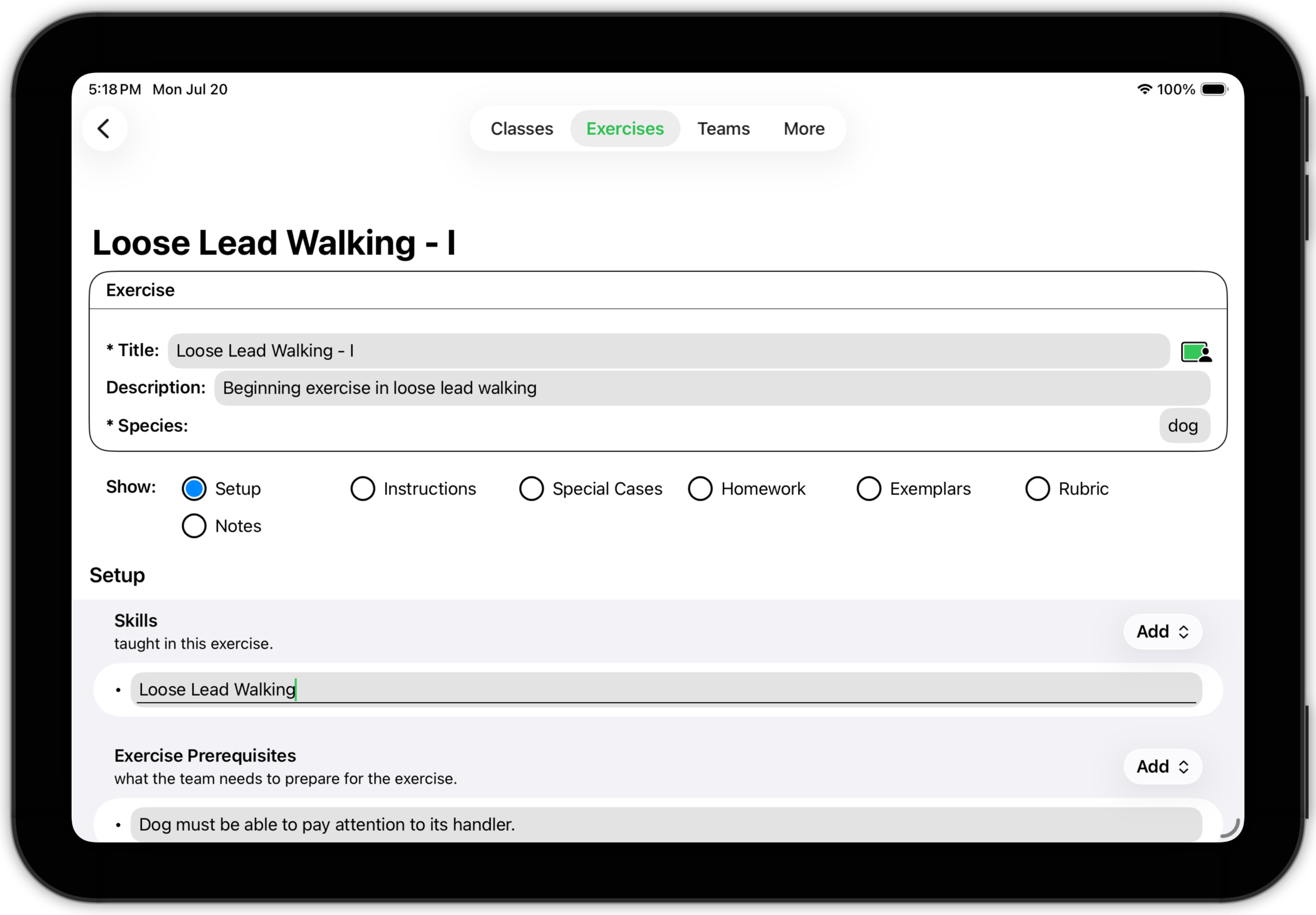
As with other detail screens in Training Corner, the content of an exercise is divided into subsections (in this case, seven). The exercise detail screen has three parts — an information box, the subsection selector, and the selected subsection. Navigate from one subsection to another by tapping the appropriate selector radio button.
TopExercise Detail: Setup
The Setup subsection includes four sub-subsections.
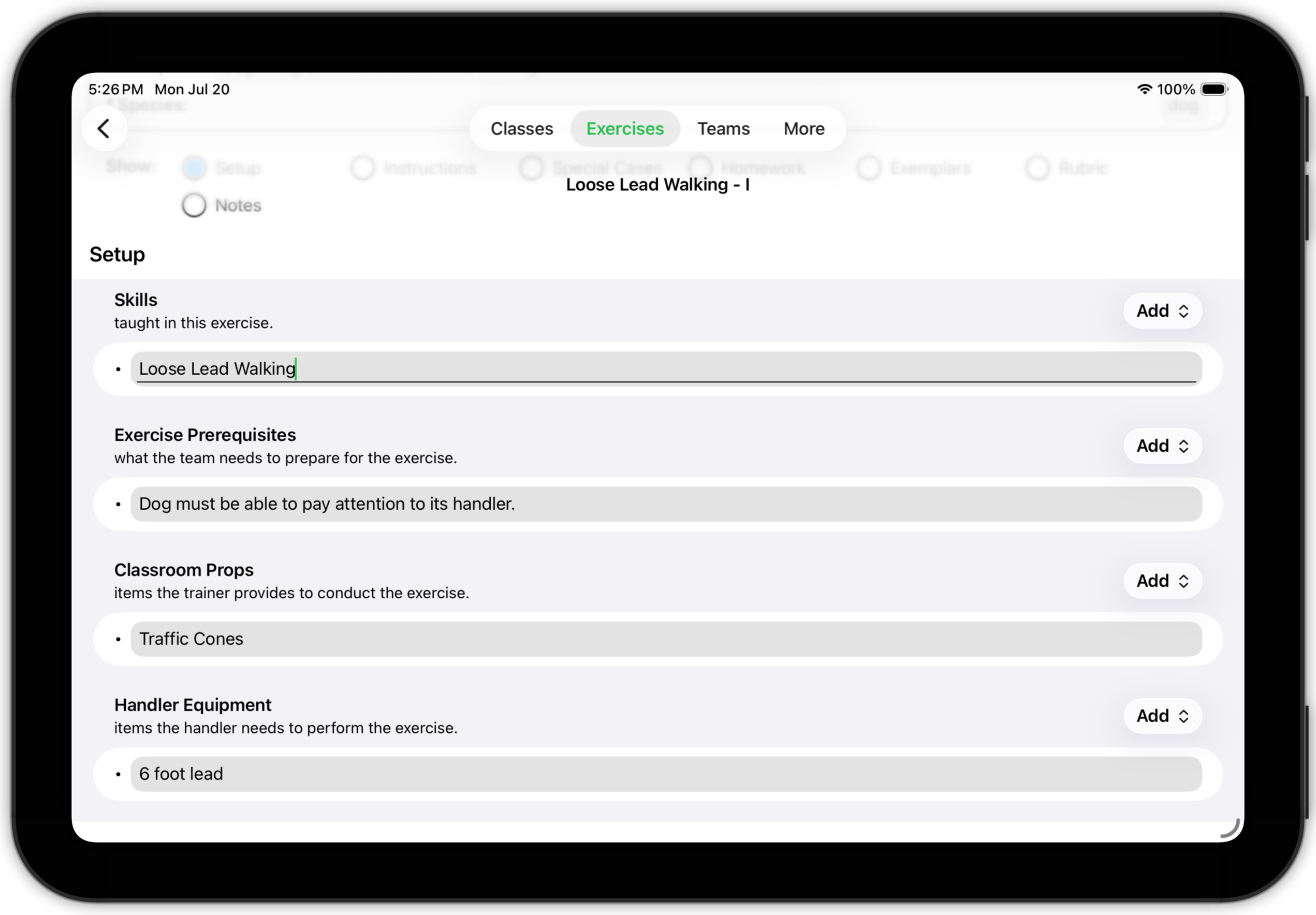
- Skills: List the skills or behaviors which this exercise is intended to teach.
- Exercise Prerequisites: Specify what the team needs to be able to do in order to be ready for this exercise.
- Classroom Props: List what equipment you need to bring to class to conduct the exercise.
- Handler Equipment: List what equipment the team (i.e., the handler) needs to bring to class to be able to participate in the exercise.
Exercise Detail: Instructions
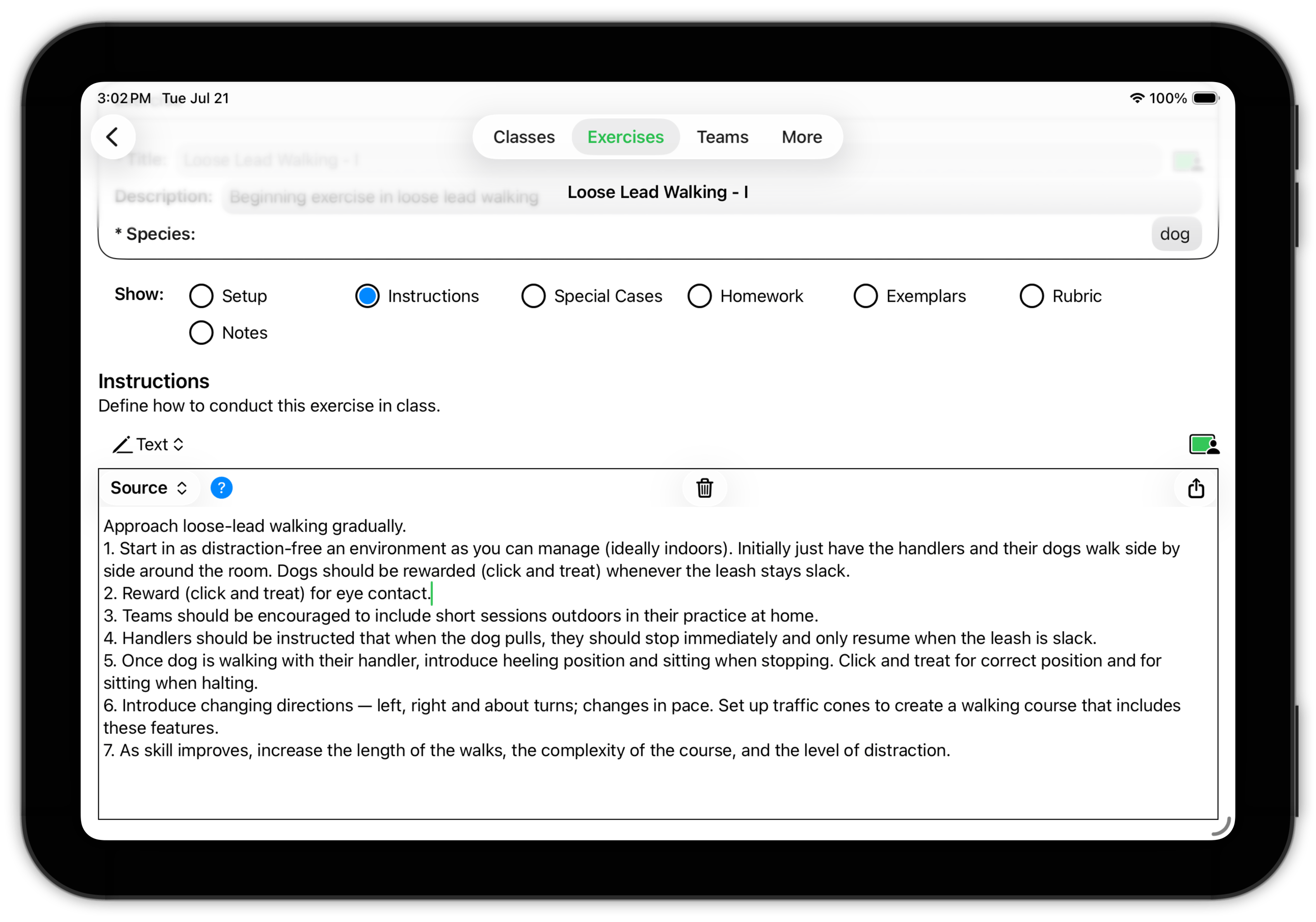
The Instructions subsection contains a description of how to conduct the exercise in class. The instructions should be written as a reminder to you (and instructions for any colleagues or assistants) of how the exercise should be conducted.
 Top
Top
Exercise Detail: Special Cases
It goes without saying that every team is unique and that you need to accommodate your teaching methods to best address the needs and abilities of each team.
This is especially true when working with teams where one or both members have special needs or physical limitations.
The Special Cases subsection is a place to document some of the strategies you may need when adjusting your approach to the requirements of your client teams.
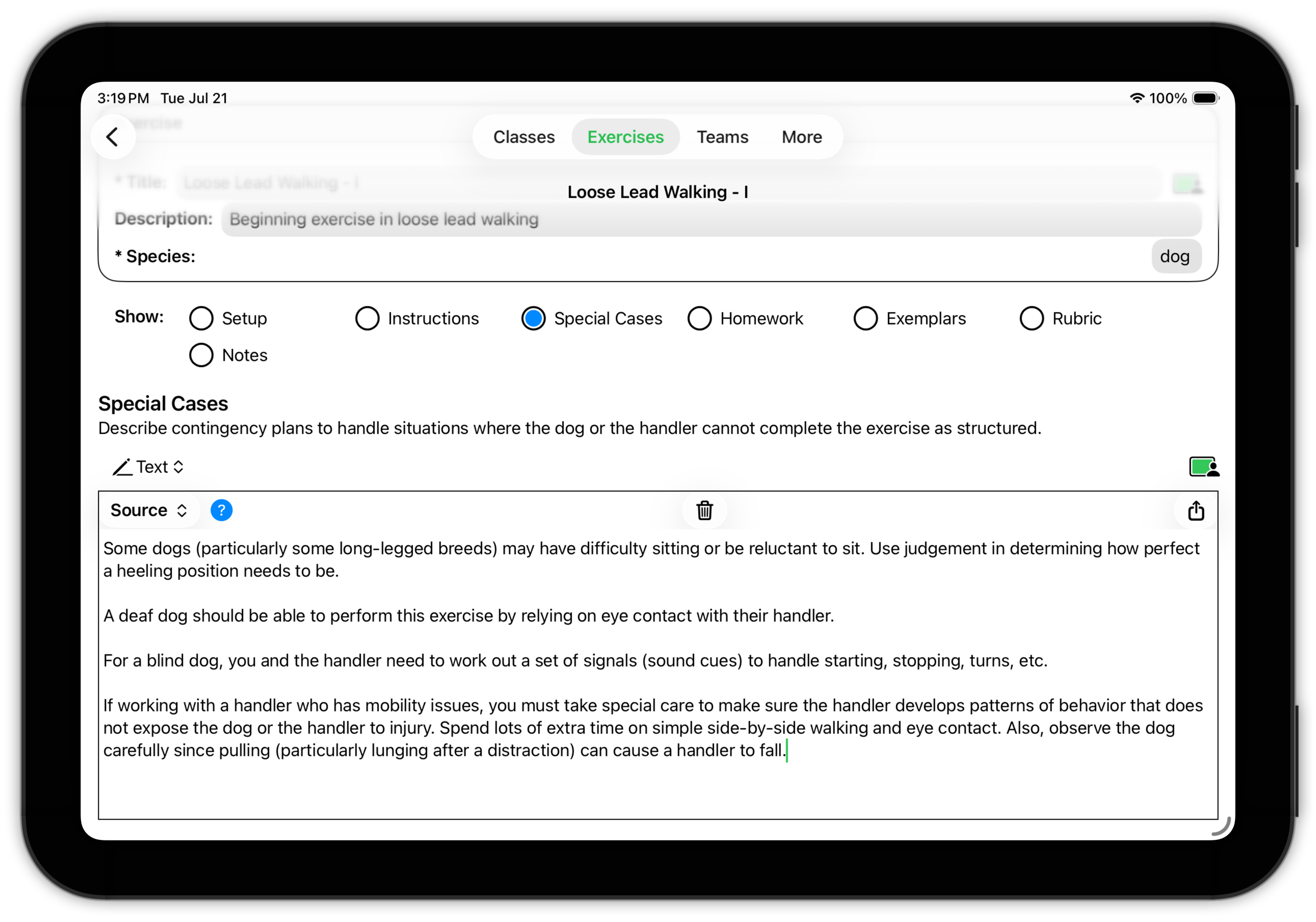
When you enroll a team with special needs, it is recommended that you look over the exercises they will be performing and think carefully about what, if any, accommodations are necessary. Then document them here.
TopExercise Detail: Homework
Exercises are meant to be performed both in class and at home. The Instructions subsection contains the instructions you use to conduct the exercise in class. The Homework subsection contains the instructions you give to your teams, describing how to perform the exercise at home.
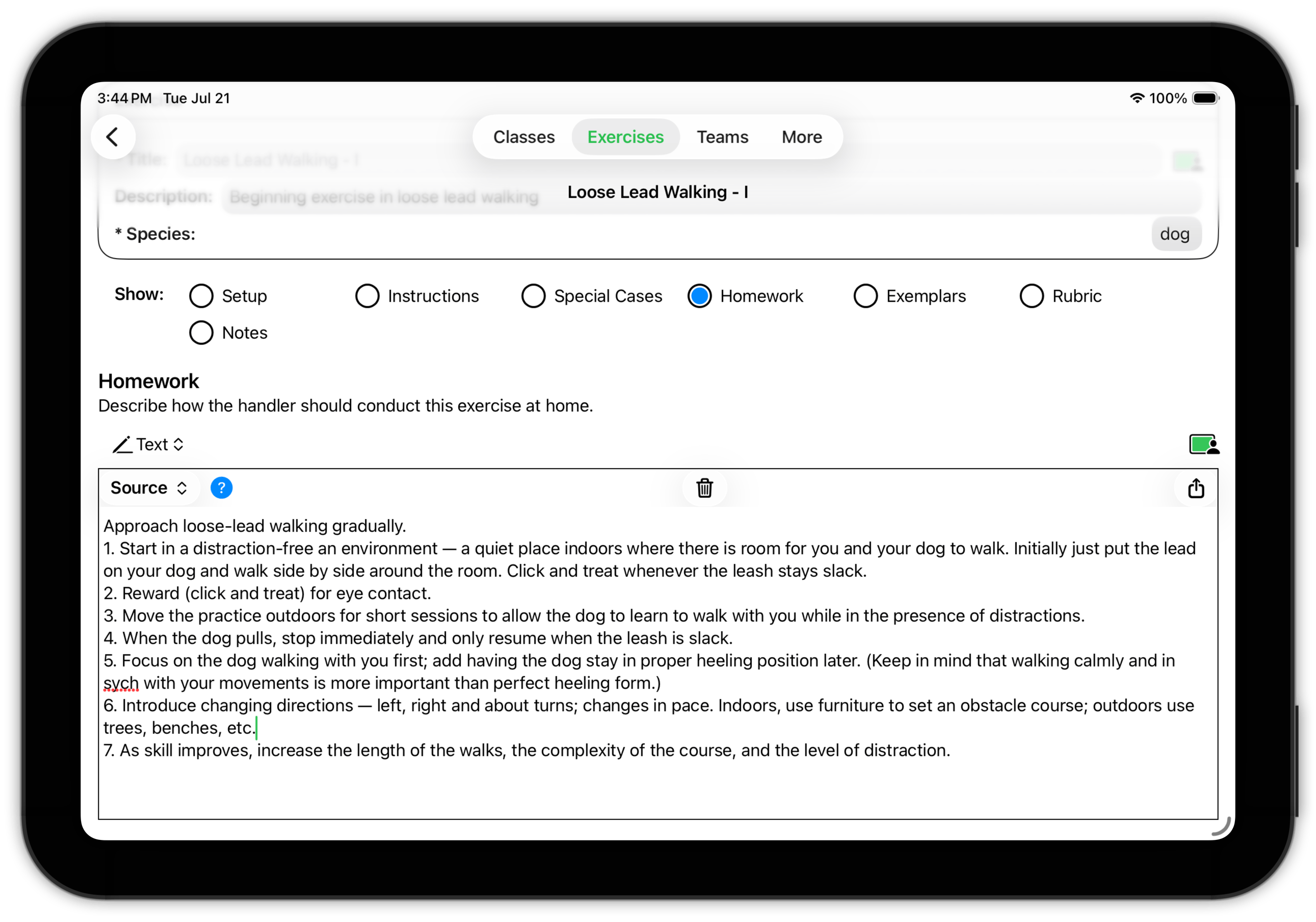
Often a good starting point for creating this homework assignment is the Instructions subsection you created (above) for yourself.
- If your instructions were text, copy and paste from the Instructions subsection to the Homework subsection and edit to make the appropriate changes.
- If your Instructions were in the form of a scanned document or audio, reuse those items.
Exercise Detail: Exemplars
An exemplar can be a powerful teaching tool. By showing your teams what exceptional behavior looks like, you can help them visualize what they should be striving for. The Exemplars subsection exists for that purpose.
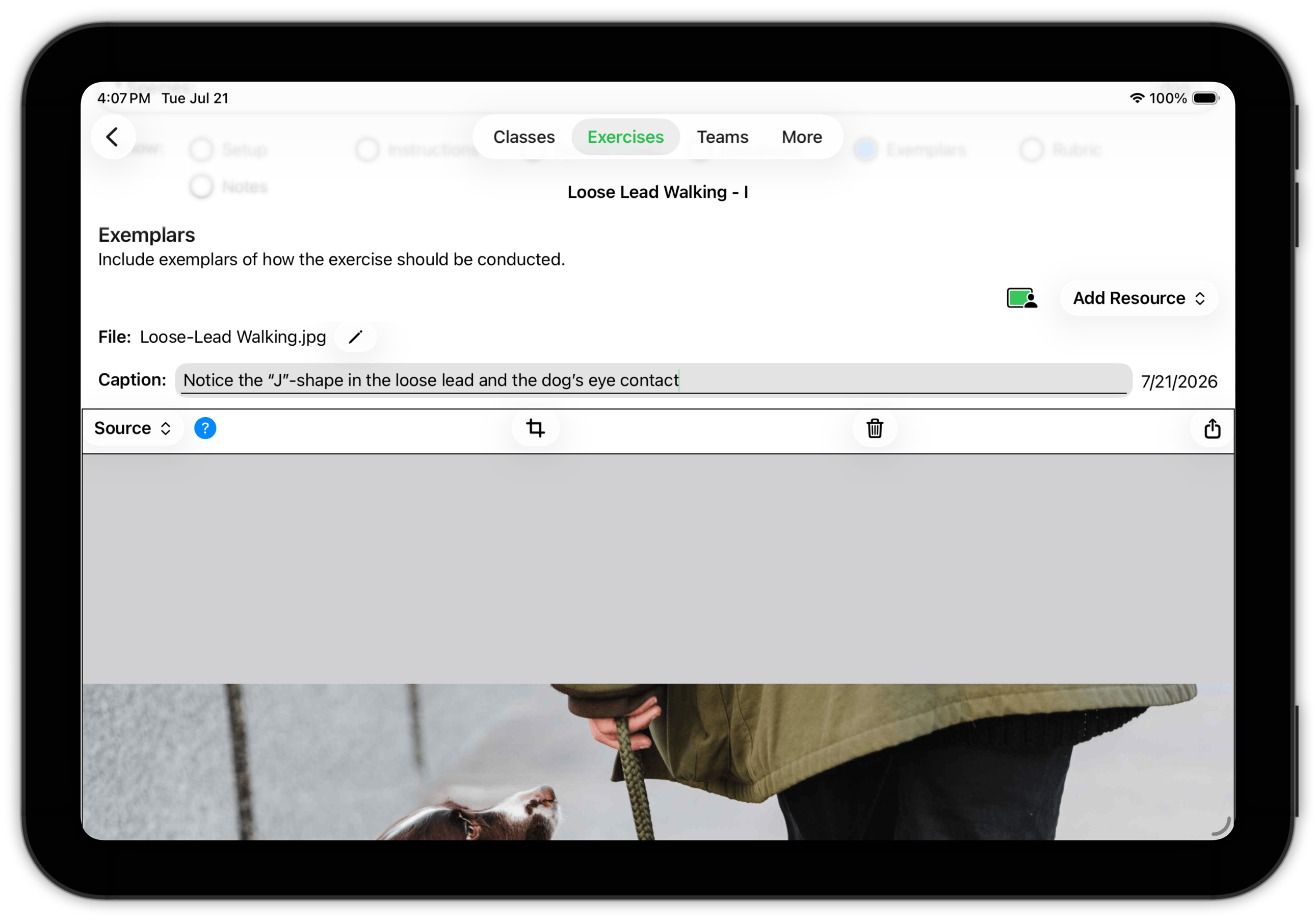
You can include as many exemplary items as you wish. While you'll probably use photos, videos and web pages most commonly, you can include any of supported media types.
 Top
Top
Exercise Detail: Rubric
This subsection describes the rubric used to evaluate a team's performance of the exercise.
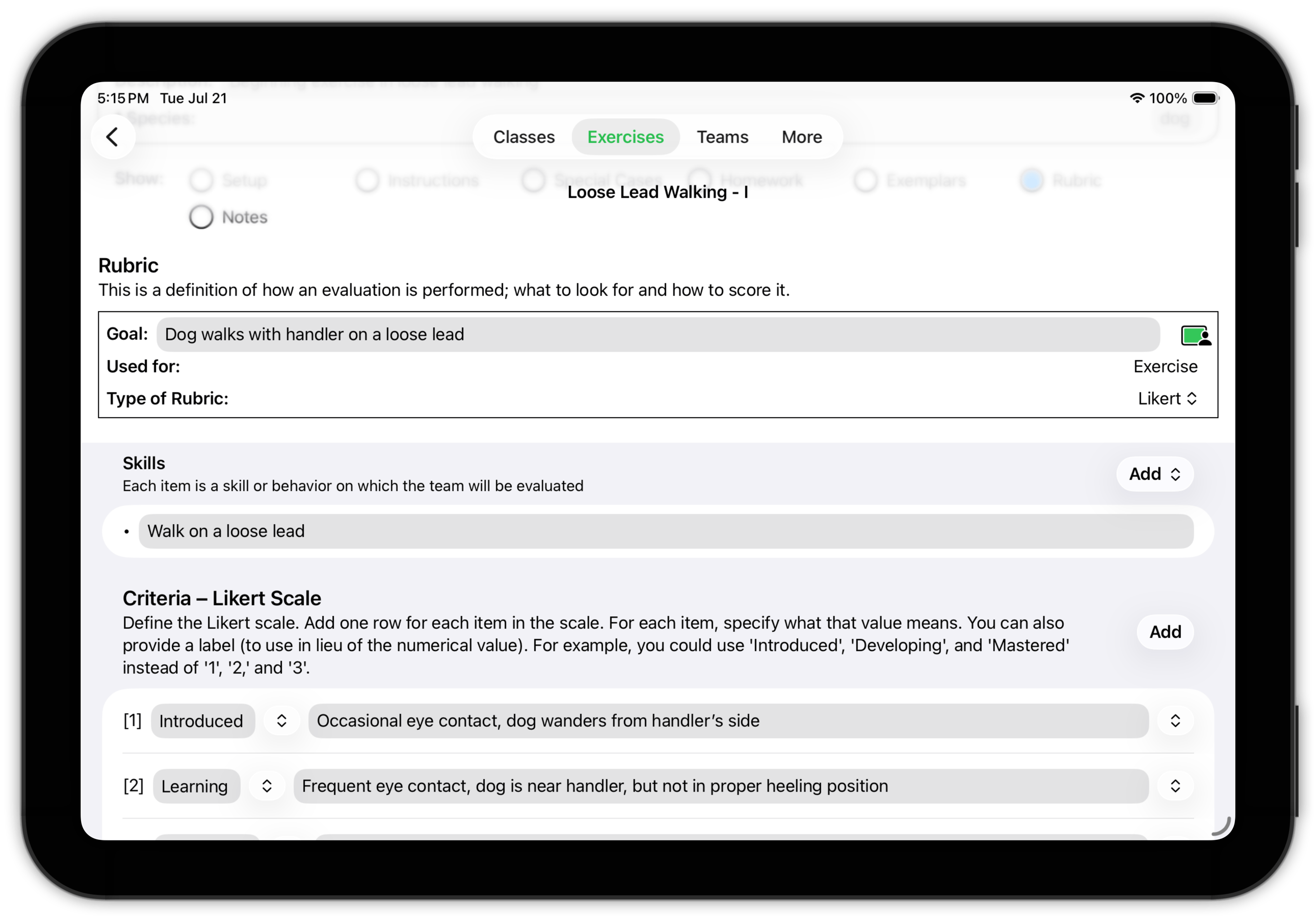
In this case, the exercise is focused on a single skill; other exercises could involve multiple skills, both individually and in combination. And the performance in this case is measured on a four-point Likert scale (Introduced, Learning, Developing, Mastered).
Training Corner recommends that if you are using a Likert scale, choose a scale with 3–6 points, with a preference for an even number. If there is no middle value to choose, people tend to consider their choice more carefully.
Rubrics are discussed in more detail in Performance.
TopExercise Detail: Notes
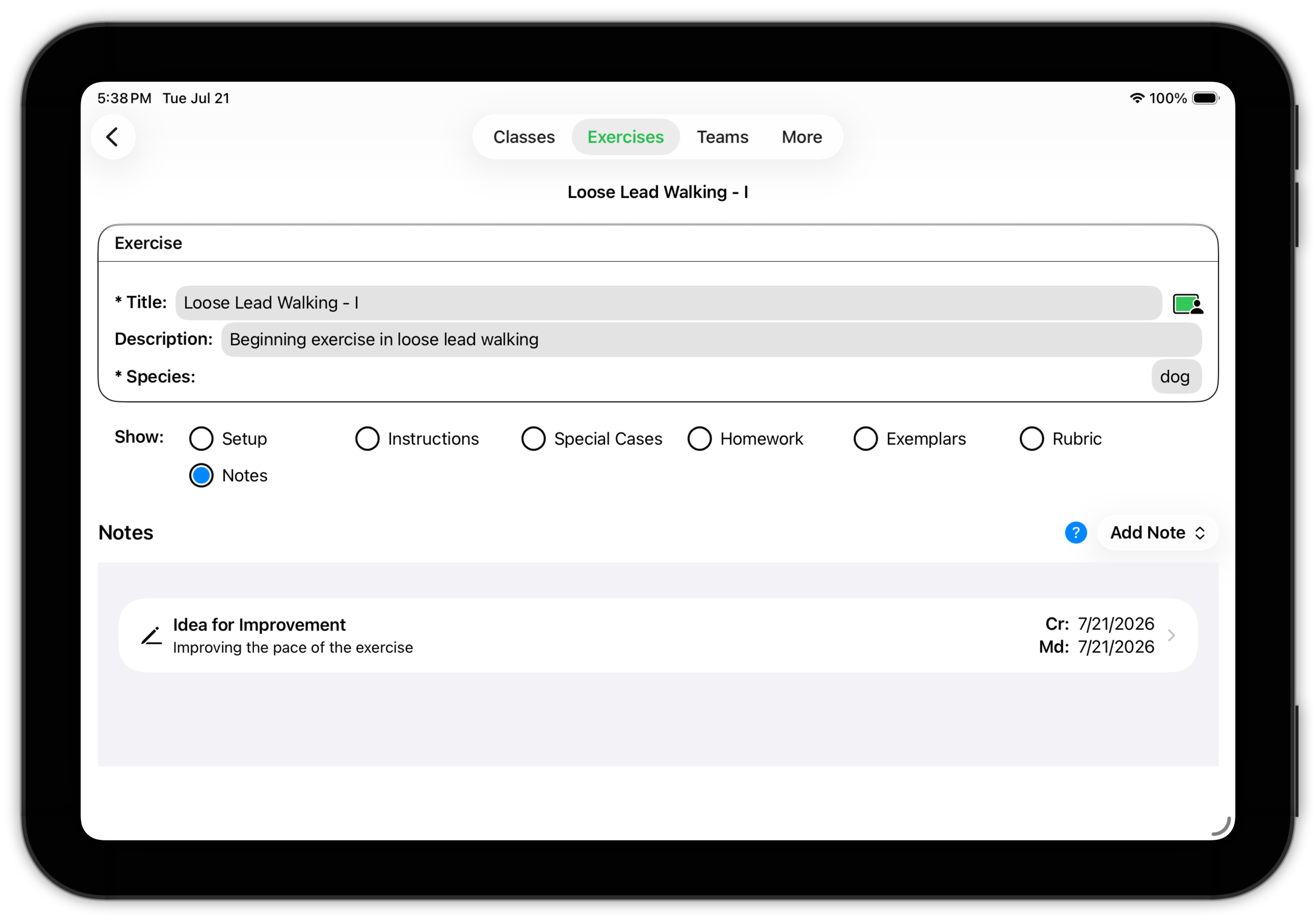
As was mentioned previously, Training Corner has several Notes subsections. The Notes subsection in Exercise Detail is intended as a place for you to record your thoughts and ideas about the exercise itself — what works, what didn't work out as planned, what you want to change the next time you use it, etc.
Notes about individual teams or their members are best recorded in the Notes subsections for Teams, Animals or Handlers (as you find appropriate.)
 Top
Top